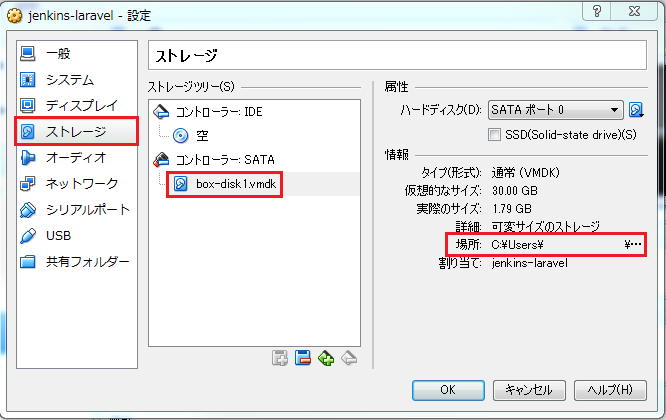
前提条件として、VirtualBoxがインストールされており、動く状態になっていること。
VirtualBox 4.3.12
Vagrant 1.6.5
VirtualBoxにインストールするOSはCentOS 6.4とする。
0.事前準備
■CentOS 6.4のisoファイルをダウンロードしてくる。
http://vault.centos.org/
上記のサイトに各バージョンが落ちているので、そこから必要なものを選んでダウンロードしてくる。
ちなみに今回落としてきたファイルは以下の2ファイル
http://vault.centos.org/6.4/isos/x86_64/CentOS-6.4-x86_64-bin-DVD1.iso
http://vault.centos.org/6.4/isos/x86_64/CentOS-6.4-x86_64-bin-DVD2.iso
■VirtualBox Guest Additionsのisoファイルをダウンロードしてくる。
http://download.virtualbox.org/virtualbox/
インストールされているVirtualBoxに対応したものを落とす必要がある。
今回の場合は4.3.12なので、それ用のファイルをダウンロードする。
http://download.virtualbox.org/virtualbox/4.3.12/VBoxGuestAdditions_4.3.12.iso
1.VirtualBoxを起動させ、新規ボタンを押して、新しい仮想マシンを作成しCentOSをインストールする。
http://blog.livedoor.jp/yoka3/archives/3861638.html
2.CentOS側の初期設定をする
■minimalでインストールすると初期状態ではNICが起動時にupしていないので、まずはそこを直す。eth0をDHCPで動作させる。
# sed -i -e "s:^ONBOOT=no$:ONBOOT=yes:" /etc/sysconfig/network-scripts/ifcfg-eth0
# service network restart
# ip addr show eth0
■MAC アドレスの記憶を無効化して、NIC に振られた UUID も消しておく。 これは Vagrant のドキュメントには無いものの、忘れると NIC のナンバリングが eth1 からになったりして苦労する。
# ln -f -s /dev/null /etc/udev/rules.d/70-persistent-net.rules
# sed -i -e "s:HWADDR=.*::g" /etc/sysconfig/network-scripts/ifcfg-eth0
# sed -i -e "s:UUID=.*::g" /etc/sysconfig/network-scripts/ifcfg-eth0
■ssh デーモンの設定を行う。 UseDNS を無効にして起動する。
# sed -i -e "s:^#UseDNS yes:UseDNS no:" /etc/ssh/sshd_config
# service sshd start
# chkconfig sshd on
■これ以降は SSH を使って VirtualBox を動作させているホスト経由で操作できる。
※但し、VirtualBoxでポートフォワードの設定が必要。(VMを一度停止させて、設定→ネットワーク→高度→ポートフォワーディング)
名前にssh、プロトコルはTCP、ホストポートは適当なポート(2222とか)、ゲストポートは22として保存する。
$ ssh root@127.0.0.1 -p 2222
■vagrant グループ&ユーザを追加してノーパスワードで sudo できるようにする。 ついでに requiretty を無効にする。
# groupadd vagrant
# useradd vagrant -g vagrant -G wheel
# echo "vagrant ALL=(ALL) NOPASSWD: ALL" >> /etc/sudoers
# sed -i -e "s:^.*requiretty:#Defaults requiretty:" /etc/sudoers
■vagrant ユーザが公開鍵を使ってログインできるように鍵を設置する。 パーミッションには注意する。
# su - vagrant
$ mkdir ~/.ssh
$ chmod 0700 ~/.ssh
$ curl -L -o ~/.ssh/authorized_keys  https://raw.githubusercontent.com/mitchellh/vagrant/master/keys/vagrant.pub
$ chmod 0600 ~/.ssh/authorized_keys
ここまでは流れ作業だったが、ここからが大変だった。
3.VirtualBoxのGuest Additionsをインストールする
最後に VirtualBox の Guest Additions をインストールするのだが、なかなかうまくいかなかった。
■VirtualBoxにVBoxGuestAdditions_4.3.12.isoをセットする。
CentOSをインストールした時と同様で、該当のVMの光学ドライブにダウンロードしてきたVBoxGuestAdditionsのisoファイルをセットする。
■まずディスクをマウントするためのディレクトリを作成。
一応Vagrantの公式サイトの手順を参考にやった。
http://docs.vagrantup.com/v2/virtualbox/boxes.html
To install via the command line:の部分を参照
$ sudo mkdir /media/VBoxGuestAdditions
$ sudo mount -o loop,ro /dev/cdrom /media/VBoxGuestAdditions
$ sudo sh /media/VBoxGuestAdditions/VBoxLinuxAdditions.run
Verifying archive integrity... All good.
Uncompressing VirtualBox 4.3.12 Guest Additions for Linux............
VirtualBox Guest Additions installer
Copying additional installer modules ...
Installing additional modules ...
Removing existing VirtualBox non-DKMS kernel modules       [  OK  ]
Building the VirtualBox Guest Additions kernel modules
The make utility was not found. If the following module compilation fails then
this could be the reason and you should try installing it.

The gcc utility was not found. If the following module compilation fails then
this could be the reason and you should try installing it.

The headers for the current running kernel were not found. If the following
module compilation fails then this could be the reason.
The missing package can be probably installed with
yum install kernel-devel-2.6.32-358.el6.x86_64

Building the main Guest Additions module                   [失敗]
(Look at /var/log/vboxadd-install.log to find out what went wrong)
Doing non-kernel setup of the Guest Additions              [  OK  ]
Installing the Window System drivers
Could not find the X.Org or XFree86 Window System, skipping.
「The missing package can be probably installed with yum install kernel-devel-2.6.32-358.el6.x86_64」
と出ていたので、以下のファイルをインストール
$ sudo yum install http://vault.centos.org/6.4/os/x86_64/Packages/kernel-devel-2.6.32-358.el6.x86_64.rpm
Loaded plugins: fastestmirror
Loading mirror speeds from cached hostfile
* base: www.ftp.ne.jp
* extras: www.ftp.ne.jp
* updates: www.ftp.ne.jp
Setting up Install Process
kernel-devel-2.6.32-358.el6.x86_64.rpm                                                                                                                                                                                                                                                                | 8.2 MB     00:13
Examining /var/tmp/yum-root-UTuUDk/kernel-devel-2.6.32-358.el6.x86_64.rpm: kernel-devel-2.6.32-358.el6.x86_64
Marking /var/tmp/yum-root-UTuUDk/kernel-devel-2.6.32-358.el6.x86_64.rpm to be installed
Resolving Dependencies
--> Running transaction check
---> Package kernel-devel.x86_64 0:2.6.32-358.el6 will be installed
--> Finished Dependency Resolution

Dependencies Resolved

=============================================================================================================================================================================================================================================================================================================================
Package                                                                 Arch                                                              Version                                                                      Repository                                                                                      Size
=============================================================================================================================================================================================================================================================================================================================
Installing:
kernel-devel                                                            x86_64                                                            2.6.32-358.el6                                                               /kernel-devel-2.6.32-358.el6.x86_64                                                             24 M

Transaction Summary
=============================================================================================================================================================================================================================================================================================================================
Install       1 Package(s)

Total size: 24 M
Installed size: 24 M
Is this ok [y/N]: y
Downloading Packages:
Running rpm_check_debug
Running Transaction Test
Transaction Test Succeeded
Running Transaction
  Installing : kernel-devel-2.6.32-358.el6.x86_64                                                                                                                                                                                                                                                                        1/1
  Verifying  : kernel-devel-2.6.32-358.el6.x86_64                                                                                                                                                                                                                                                                        1/1

Installed:
  kernel-devel.x86_64 0:2.6.32-358.el6

Complete!
もう一回インストールしてみたが、結局失敗。
ログファイルを確認してみると、今度は下記のようなエラーが出ていた。
$ less /var/log/vboxadd-install.log
/opt/VBoxGuestAdditions-4.3.12/src/vboxguest-4.3.12/build_in_tmp: line 62: make: コマンドが見つかりません
Creating user for the Guest Additions.
Creating udev rule for the Guest Additions kernel module.
ググってみたら下記のサイトがあった。
dkmsが必要そうな雰囲気があったので、インストールしてみる。
https://forums.virtualbox.org/viewtopic.php?f=7&t=50786
既存のリポジトリにはなかったので、リポジトリを追加
まずはファイルをダウンロード
$ wget http://ftp-srv2.kddilabs.jp/Linux/distributions/fedora/epel/6/x86_64/epel-release-6-8.noarch.rpm
--2014-11-06 15:37:56--  http://ftp-srv2.kddilabs.jp/Linux/distributions/fedora/epel/6/x86_64/epel-release-6-8.noarch.rpm
ftp-srv2.kddilabs.jp をDNSに問いあわせています... 202.255.47.226
ftp-srv2.kddilabs.jp|202.255.47.226|:80 に接続しています... 接続しました。
HTTP による接続要求を送信しました、応答を待っています... 200 OK
長さ: 14540 (14K) [application/octet-stream]
`epel-release-6-8.noarch.rpm' に保存中

100%[===================================================================================================================================================================================================================================================================================>] 14,540      --.-K/s 時間 0s

2014-11-06 15:37:56 (1.01 GB/s) - `epel-release-6-8.noarch.rpm' へ保存完了 [14540/14540]
インストール。
$ sudo rpm -ivh epel-release-6-8.noarch.rpm
警告: epel-release-6-8.noarch.rpm: ヘッダ V3 RSA/SHA256 Signature, key ID 0608b895: NOKEY
準備中...                ########################################### [100%]
   1:epel-release           ########################################### [100%]
dkmsがあるか確認。
$ yum info dkms
Loaded plugins: fastestmirror
Determining fastest mirrors
Error: Cannot retrieve metalink for repository: epel. Please verify its path and try again
エラー・・・。
ミラーサイトの証明書が変わったかららしい。
とりあえず本家のサイトから取ってくるように修正する。
$ sudo vi /etc/yum.repos.d/epel.repo
[epel]
name=Extra Packages for Enterprise Linux 6 - $basearch
baseurl=http://download.fedoraproject.org/pub/epel/6/$basearch
#mirrorlist=https://mirrors.fedoraproject.org/metalink?repo=epel-6&arch=$basearch
failovermethod=priority
enabled=1
gpgcheck=1
gpgkey=file:///etc/pki/rpm-gpg/RPM-GPG-KEY-EPEL-6
問題ないか確認。
$ sudo yum info dkms
Loaded plugins: fastestmirror
Loading mirror speeds from cached hostfile
* base: www.ftp.ne.jp
* extras: www.ftp.ne.jp
* updates: www.ftp.ne.jp
epel                                                                                                                                                                                                                                                                                                  | 4.4 kB     00:00
epel/primary_db                                                                                                                                                                                                                                                                                       | 6.3 MB     00:02
Available Packages
Name        : dkms
Arch        : noarch
Version     : 2.2.0.3
Release     : 28.git.7c3e7c5.el6
Size        : 77 k
Repo        : epel
Summary     : Dynamic Kernel Module Support Framework
URL         : http://linux.dell.com/dkms
License     : GPLv2+
Description : This package contains the framework for the Dynamic Kernel Module Support (DKMS)
            : method for installing module RPMS as originally developed by Dell.
行けたので、インストール
$ sudo yum install dkms
Loaded plugins: fastestmirror
Loading mirror speeds from cached hostfile
* base: www.ftp.ne.jp
* extras: www.ftp.ne.jp
* updates: www.ftp.ne.jp
Setting up Install Process
Resolving Dependencies
--> Running transaction check
---> Package dkms.noarch 0:2.2.0.3-28.git.7c3e7c5.el6 will be installed
--> Processing Dependency: gcc for package: dkms-2.2.0.3-28.git.7c3e7c5.el6.noarch
--> Running transaction check
---> Package gcc.x86_64 0:4.4.7-11.el6 will be installed
--> Processing Dependency: libgomp = 4.4.7-11.el6 for package: gcc-4.4.7-11.el6.x86_64
--> Processing Dependency: cpp = 4.4.7-11.el6 for package: gcc-4.4.7-11.el6.x86_64
--> Processing Dependency: libgcc >= 4.4.7-11.el6 for package: gcc-4.4.7-11.el6.x86_64
--> Processing Dependency: glibc-devel >= 2.2.90-12 for package: gcc-4.4.7-11.el6.x86_64
--> Processing Dependency: cloog-ppl >= 0.15 for package: gcc-4.4.7-11.el6.x86_64
--> Processing Dependency: libgomp.so.1()(64bit) for package: gcc-4.4.7-11.el6.x86_64
--> Running transaction check
---> Package cloog-ppl.x86_64 0:0.15.7-1.2.el6 will be installed
--> Processing Dependency: libppl_c.so.2()(64bit) for package: cloog-ppl-0.15.7-1.2.el6.x86_64
--> Processing Dependency: libppl.so.7()(64bit) for package: cloog-ppl-0.15.7-1.2.el6.x86_64
---> Package cpp.x86_64 0:4.4.7-11.el6 will be installed
--> Processing Dependency: libmpfr.so.1()(64bit) for package: cpp-4.4.7-11.el6.x86_64
---> Package glibc-devel.x86_64 0:2.12-1.149.el6 will be installed
--> Processing Dependency: glibc-headers = 2.12-1.149.el6 for package: glibc-devel-2.12-1.149.el6.x86_64
--> Processing Dependency: glibc = 2.12-1.149.el6 for package: glibc-devel-2.12-1.149.el6.x86_64
--> Processing Dependency: glibc-headers for package: glibc-devel-2.12-1.149.el6.x86_64
---> Package libgcc.x86_64 0:4.4.7-3.el6 will be updated
---> Package libgcc.x86_64 0:4.4.7-11.el6 will be an update
---> Package libgomp.x86_64 0:4.4.7-11.el6 will be installed
--> Running transaction check
---> Package glibc.x86_64 0:2.12-1.107.el6 will be updated
--> Processing Dependency: glibc = 2.12-1.107.el6 for package: glibc-common-2.12-1.107.el6.x86_64
---> Package glibc.x86_64 0:2.12-1.149.el6 will be an update
---> Package glibc-headers.x86_64 0:2.12-1.149.el6 will be installed
--> Processing Dependency: kernel-headers >= 2.2.1 for package: glibc-headers-2.12-1.149.el6.x86_64
--> Processing Dependency: kernel-headers for package: glibc-headers-2.12-1.149.el6.x86_64
---> Package mpfr.x86_64 0:2.4.1-6.el6 will be installed
---> Package ppl.x86_64 0:0.10.2-11.el6 will be installed
--> Running transaction check
---> Package glibc-common.x86_64 0:2.12-1.107.el6 will be updated
---> Package glibc-common.x86_64 0:2.12-1.149.el6 will be an update
---> Package kernel-headers.x86_64 0:2.6.32-504.el6 will be installed
--> Finished Dependency Resolution
Dependencies Resolved
=============================================================================================================================================================================================================================================================================================================================
Package Arch Version Repository Size
=============================================================================================================================================================================================================================================================================================================================
Installing:
dkms noarch 2.2.0.3-28.git.7c3e7c5.el6 epel 77 k
Installing for dependencies:
cloog-ppl x86_64 0.15.7-1.2.el6 base 93 k
cpp x86_64 4.4.7-11.el6 base 3.7 M
gcc x86_64 4.4.7-11.el6 base 10 M
glibc-devel x86_64 2.12-1.149.el6 base 983 k
glibc-headers x86_64 2.12-1.149.el6 base 611 k
kernel-headers x86_64 2.6.32-504.el6 base 3.3 M
libgomp x86_64 4.4.7-11.el6 base 133 k
mpfr x86_64 2.4.1-6.el6 base 157 k
ppl x86_64 0.10.2-11.el6 base 1.3 M
Updating for dependencies:
glibc x86_64 2.12-1.149.el6 base 3.8 M
glibc-common x86_64 2.12-1.149.el6 base 14 M
libgcc x86_64 4.4.7-11.el6 base 102 k
Transaction Summary
=============================================================================================================================================================================================================================================================================================================================
Install 10 Package(s)
Upgrade 3 Package(s)
Total download size: 39 M
Is this ok [y/N]: y
Downloading Packages:
(1/13): cloog-ppl-0.15.7-1.2.el6.x86_64.rpm | 93 kB 00:00
(2/13): cpp-4.4.7-11.el6.x86_64.rpm | 3.7 MB 00:00
(3/13): dkms-2.2.0.3-28.git.7c3e7c5.el6.noarch.rpm | 77 kB 00:00
(4/13): gcc-4.4.7-11.el6.x86_64.rpm | 10 MB 00:00
(5/13): glibc-2.12-1.149.el6.x86_64.rpm | 3.8 MB 00:00
(6/13): glibc-common-2.12-1.149.el6.x86_64.rpm | 14 MB 00:01
(7/13): glibc-devel-2.12-1.149.el6.x86_64.rpm | 983 kB 00:00
(8/13): glibc-headers-2.12-1.149.el6.x86_64.rpm | 611 kB 00:00
(9/13): kernel-headers-2.6.32-504.el6.x86_64.rpm | 3.3 MB 00:00
(10/13): libgcc-4.4.7-11.el6.x86_64.rpm | 102 kB 00:00
(11/13): libgomp-4.4.7-11.el6.x86_64.rpm | 133 kB 00:00
(12/13): mpfr-2.4.1-6.el6.x86_64.rpm | 157 kB 00:00
(13/13): ppl-0.10.2-11.el6.x86_64.rpm | 1.3 MB 00:00
-----------------------------------------------------------------------------------------------------------------------------------------------------------------------------------------------------------------------------------------------------------------------------------------------------------------------------
Total 8.9 MB/s | 39 MB 00:04
warning: rpmts_HdrFromFdno: Header V3 RSA/SHA256 Signature, key ID 0608b895: NOKEY
Retrieving key from file:///etc/pki/rpm-gpg/RPM-GPG-KEY-EPEL-6
Importing GPG key 0x0608B895:
Userid : EPEL (6) <epel@fedoraproject.org>
Package: epel-release-6-8.noarch (installed)
From : /etc/pki/rpm-gpg/RPM-GPG-KEY-EPEL-6
Is this ok [y/N]: y
Running rpm_check_debug
Running Transaction Test
Transaction Test Succeeded
Running Transaction
Warning: RPMDB altered outside of yum.
Updating : libgcc-4.4.7-11.el6.x86_64 1/16
Updating : glibc-2.12-1.149.el6.x86_64 2/16
Updating : glibc-common-2.12-1.149.el6.x86_64 3/16
Installing : libgomp-4.4.7-11.el6.x86_64 4/16
Installing : mpfr-2.4.1-6.el6.x86_64 5/16
Installing : cpp-4.4.7-11.el6.x86_64 6/16
Installing : ppl-0.10.2-11.el6.x86_64 7/16
Installing : cloog-ppl-0.15.7-1.2.el6.x86_64 8/16
Installing : kernel-headers-2.6.32-504.el6.x86_64 9/16
Installing : glibc-headers-2.12-1.149.el6.x86_64 10/16
Installing : glibc-devel-2.12-1.149.el6.x86_64 11/16
Installing : gcc-4.4.7-11.el6.x86_64 12/16
Installing : dkms-2.2.0.3-28.git.7c3e7c5.el6.noarch 13/16
Cleanup : glibc-2.12-1.107.el6.x86_64 14/16
Cleanup : glibc-common-2.12-1.107.el6.x86_64 15/16
Cleanup : libgcc-4.4.7-3.el6.x86_64 16/16
Verifying : glibc-common-2.12-1.149.el6.x86_64 1/16
Verifying : gcc-4.4.7-11.el6.x86_64 2/16
Verifying : glibc-2.12-1.149.el6.x86_64 3/16
Verifying : dkms-2.2.0.3-28.git.7c3e7c5.el6.noarch 4/16
Verifying : glibc-headers-2.12-1.149.el6.x86_64 5/16
Verifying : glibc-devel-2.12-1.149.el6.x86_64 6/16
Verifying : libgcc-4.4.7-11.el6.x86_64 7/16
Verifying : libgomp-4.4.7-11.el6.x86_64 8/16
Verifying : mpfr-2.4.1-6.el6.x86_64 9/16
Verifying : cpp-4.4.7-11.el6.x86_64 10/16
Verifying : kernel-headers-2.6.32-504.el6.x86_64 11/16
Verifying : ppl-0.10.2-11.el6.x86_64 12/16
Verifying : cloog-ppl-0.15.7-1.2.el6.x86_64 13/16
Verifying : glibc-2.12-1.107.el6.x86_64 14/16
Verifying : libgcc-4.4.7-3.el6.x86_64 15/16
Verifying : glibc-common-2.12-1.107.el6.x86_64 16/16
Installed:
dkms.noarch 0:2.2.0.3-28.git.7c3e7c5.el6
Dependency Installed:
cloog-ppl.x86_64 0:0.15.7-1.2.el6 cpp.x86_64 0:4.4.7-11.el6 gcc.x86_64 0:4.4.7-11.el6 glibc-devel.x86_64 0:2.12-1.149.el6 glibc-headers.x86_64 0:2.12-1.149.el6 kernel-headers.x86_64 0:2.6.32-504.el6 libgomp.x86_64 0:4.4.7-11.el6 mpfr.x86_64 0:2.4.1-6.el6
ppl.x86_64 0:0.10.2-11.el6
Dependency Updated:
glibc.x86_64 0:2.12-1.149.el6 glibc-common.x86_64 0:2.12-1.149.el6 libgcc.x86_64 0:4.4.7-11.el6
Complete!
もう一度インストールしてみる。
$ sudo sh /media/VBoxGuestAdditions/VBoxLinuxAdditions.run
Verifying archive integrity... All good.
Uncompressing VirtualBox 4.3.12 Guest Additions for Linux............
VirtualBox Guest Additions installer
Removing installed version 4.3.12 of VirtualBox Guest Additions...
Copying additional installer modules ...
Installing additional modules ...
Removing existing VirtualBox DKMS kernel modules           [  OK  ]
Removing existing VirtualBox non-DKMS kernel modules       [  OK  ]
Building the VirtualBox Guest Additions kernel modules
Building the main Guest Additions module                   [失敗]
(Look at /var/log/vboxadd-install.log to find out what went wrong)
Doing non-kernel setup of the Guest Additions              [  OK  ]
Installing the Window System drivers
Could not find the X.Org or XFree86 Window System, skipping.
さっきとちょっと変わったけど、またしてもエラー・・・。
エラーログを確認してみると、
Uninstalling modules from DKMS
Attempting to install using DKMS

Creating symlink /var/lib/dkms/vboxguest/4.3.12/source ->
                 /usr/src/vboxguest-4.3.12

DKMS: add completed.

Kernel preparation unnecessary for this kernel.  Skipping...

Building module:
cleaning build area...
make KERNELRELEASE=2.6.32-358.el6.x86_64 -C /lib/modules/2.6.32-358.el6.x86_64/build M=/var/lib/dkms/vboxguest/4.3.12/build...(bad exit status: 2)
Error! Bad return status for module build on kernel: 2.6.32-358.el6.x86_64 (x86_64)
Consult /var/lib/dkms/vboxguest/4.3.12/build/make.log for more information.
Failed to install using DKMS, attempting to install without
make KBUILD_VERBOSE=1 CONFIG_MODULE_SIG= -C /lib/modules/2.6.32-358.el6.x86_64/build SUBDIRS=/tmp/vbox.0 SRCROOT=/tmp/vbox.0 modules
test -e include/linux/autoconf.h -a -e include/config/auto.conf || (            \
        echo;                                                           \
        echo "  ERROR: Kernel configuration is invalid.";               \
        echo "         include/linux/autoconf.h or include/config/auto.conf are missing.";      \
        echo "         Run 'make oldconfig && make prepare' on kernel src to fix it.";  \
        echo;                                                           \
        /bin/false)
mkdir -p /tmp/vbox.0/.tmp_versions ; rm -f /tmp/vbox.0/.tmp_versions/*
make -f scripts/Makefile.build obj=/tmp/vbox.0
  gcc -Wp,-MD,/tmp/vbox.0/.VBoxGuest-linux.o.d  -nostdinc -isystem /usr/lib/gcc/x86_64-redhat-linux/4.4.7/include -Iinclude  -I/usr/src/kernels/2.6.32-358.el6.x86_64/arch/x86/include -include include/linux/autoconf.h -D__KERNEL__ -Wall -Wundef -Wstrict-prototypes -Wno-trigraphs -fno-strict-aliasing -fno-common -Werror-implicit-function-declaration -Wno-format-security -fno-delete-null-pointer-checks -O2 -m64 -mtune=generic -mno-red-zone -mcmodel=kernel -funit-at-a-time -maccumulate-outgoing-args -fstack-protector -DCONFIG_AS_CFI=1 -DCONFIG_AS_CFI_SIGNAL_FRAME=1 -DCONFIG_AS_CFI_SECTIONS=1 -pipe -Wno-sign-compare -fno-asynchronous-unwind-tables -mno-sse -mno-mmx -mno-sse2 -mno-3dnow -Wframe-larger-than=2048 -Wno-unused-but-set-variable -fno-omit-frame-pointer -fno-optimize-sibling-calls -g -pg -Wdeclaration-after-statement -Wno-pointer-sign -fno-strict-overflow -fno-dwarf2-cfi-asm -fconserve-stack -include /tmp/vbox.0/include/VBox/VBoxGuestMangling.h -I/lib/modules/2.6.32-358.el6.x86_64/build/include -I/tmp/vbox.0/ -I/tmp/vbox.0/include -I/tmp/vbox.0/r0drv/linux -I/tmp/vbox.0/vboxguest/ -I/tmp/vbox.0/vboxguest/include -I/tmp/vbox.0/vboxguest/r0drv/linux -D__KERNEL__ -DMODULE -DVBOX -DRT_OS_LINUX -DIN_RING0 -DIN_RT_R0 -DIN_GUEST -DIN_GUEST_R0 -DIN_MODULE -DRT_WITH_VBOX -DVBGL_VBOXGUEST -DVBOX_WITH_HGCM -DRT_ARCH_AMD64 -DVBOX_WITH_64_BITS_GUESTS  -DMODULE -D"KBUILD_STR(s)=#s" -D"KBUILD_BASENAME=KBUILD_STR(VBoxGuest_linux)"  -D"KBUILD_MODNAME=KBUILD_STR(vboxguest)" -D"DEBUG_HASH=24" -D"DEBUG_HASH2=60" -c -o /tmp/vbox.0/.tmp_VBoxGuest-linux.o /tmp/vbox.0/VBoxGuest-linux.c
  set -e ; perl /usr/src/kernels/2.6.32-358.el6.x86_64/scripts/recordmcount.pl "x86_64" "64" "objdump" "objcopy" "gcc" "ld" "nm" "" "" "1" "/tmp/vbox.0/VBoxGuest-linux.o";
/bin/sh: perl: コマンドが見つかりません
make[2]: *** [/tmp/vbox.0/VBoxGuest-linux.o] エラー 127
make[1]: *** [_module_/tmp/vbox.0] エラー 2
make: *** [vboxguest] エラー 2
Creating user for the Guest Additions.
Creating udev rule for the Guest Additions kernel module.
なんかkernelのバージョンが一致していないことが問題らしい。
$ rpm -qa | grep kernel
dracut-kernel-004-303.el6.noarch
kernel-2.6.32-358.el6.x86_64
kernel-devel-2.6.32-358.el6.x86_64
kernel-firmware-2.6.32-358.el6.noarch
kernel-headers-2.6.32-504.el6.x86_64
どうやら
kernel-headers-2.6.32-504.el6.x86_64
ってやつだけあってないので、これだけダウングレードする。
$ sudo yum downgrade http://vault.centos.org/6.4/os/x86_64/Packages/kernel-headers-2.6.32-358.el6.x86_64.rpm
Loaded plugins: fastestmirror
Setting up Downgrade Process
Loading mirror speeds from cached hostfile
 * base: www.ftp.ne.jp
 * extras: www.ftp.ne.jp
 * updates: www.ftp.ne.jp
kernel-headers-2.6.32-358.el6.x86_64.rpm                                                                                                                                                                                                                                                              | 2.3 MB     00:02
Examining /var/tmp/yum-root-UTuUDk/kernel-headers-2.6.32-358.el6.x86_64.rpm: kernel-headers-2.6.32-358.el6.x86_64
Resolving Dependencies
--> Running transaction check
---> Package kernel-headers.x86_64 0:2.6.32-358.el6 will be a downgrade
---> Package kernel-headers.x86_64 0:2.6.32-504.el6 will be erased
--> Finished Dependency Resolution

Dependencies Resolved

=============================================================================================================================================================================================================================================================================================================================
 Package                                                                  Arch                                                             Version                                                                     Repository                                                                                       Size
=============================================================================================================================================================================================================================================================================================================================
Downgrading:
 kernel-headers                                                           x86_64                                                           2.6.32-358.el6                                                              /kernel-headers-2.6.32-358.el6.x86_64                                                           2.5 M

Transaction Summary
================================================================================
Downgrade     1 Package(s)

Total size: 2.5 M
Is this ok [y/N]: y
Downloading Packages:
Running rpm_check_debug
Running Transaction Test
Transaction Test Succeeded
Running Transaction
  Installing : kernel-headers-2.6.32-358.el6.x86_64
  Cleanup    : kernel-headers-2.6.32-504.el6.x86_64
  Verifying  : kernel-headers-2.6.32-358.el6.x86_64
  Verifying  : kernel-headers-2.6.32-504.el6.x86_64

Removed:
  kernel-headers.x86_64 0:2.6.32-504.el6

Installed:
  kernel-headers.x86_64 0:2.6.32-358.el6

Complete!
カーネル合わせた後に再びやってみる。
# sh /media/VBoxGuestAdditions/VBoxLinuxAdditions.run
Verifying archive integrity... All good.
Uncompressing VirtualBox 4.3.12 Guest Additions for Linux............
VirtualBox Guest Additions installer
Removing installed version 4.3.12 of VirtualBox Guest Additions...
Copying additional installer modules ...
Installing additional modules ...
Removing existing VirtualBox DKMS kernel modules           [  OK  ]
Removing existing VirtualBox non-DKMS kernel modules       [  OK  ]
Building the VirtualBox Guest Additions kernel modules
Building the main Guest Additions module                   [失敗]
(Look at /var/log/vboxadd-install.log to find out what went wrong)
Doing non-kernel setup of the Guest Additions              [  OK  ]
Installing the Window System drivers
Could not find the X.Org or XFree86 Window System, skipping.
またしてもエラー。
$ less /var/log/vboxadd-install.log

Uninstalling modules from DKMS
Attempting to install using DKMS

Creating symlink /var/lib/dkms/vboxguest/4.3.12/source ->
                 /usr/src/vboxguest-4.3.12

DKMS: add completed.

Kernel preparation unnecessary for this kernel.  Skipping...

Building module:
cleaning build area...
make KERNELRELEASE=2.6.32-358.el6.x86_64 -C /lib/modules/2.6.32-358.el6.x86_64/build M=/var/lib/dkms/vboxguest/4.3.12/build...(bad exit status: 2)
Error! Bad return status for module build on kernel: 2.6.32-358.el6.x86_64 (x86_64)
Consult /var/lib/dkms/vboxguest/4.3.12/build/make.log for more information.
Failed to install using DKMS, attempting to install without
make KBUILD_VERBOSE=1 CONFIG_MODULE_SIG= -C /lib/modules/2.6.32-358.el6.x86_64/build SUBDIRS=/tmp/vbox.0 SRCROOT=/tmp/vbox.0 modules
test -e include/linux/autoconf.h -a -e include/config/auto.conf || (            \
        echo;                                                           \
        echo "  ERROR: Kernel configuration is invalid.";               \
        echo "         include/linux/autoconf.h or include/config/auto.conf are missing.";      \
        echo "         Run 'make oldconfig && make prepare' on kernel src to fix it.";  \
        echo;                                                           \
        /bin/false)
mkdir -p /tmp/vbox.0/.tmp_versions ; rm -f /tmp/vbox.0/.tmp_versions/*
make -f scripts/Makefile.build obj=/tmp/vbox.0
  gcc -Wp,-MD,/tmp/vbox.0/.VBoxGuest-linux.o.d  -nostdinc -isystem /usr/lib/gcc/x86_64-redhat-linux/4.4.7/include -Iinclude  -I/usr/src/kernels/2.6.32-358.el6.x86_64/arch/x86/include -include include/linux/autoconf.h -D__KERNEL__ -Wall -Wundef -Wstrict-prototypes -Wno-trigraphs -fno-strict-aliasing -fno-common -Werror-implicit-function-declaration -Wno-format-security -fno-delete-null-pointer-checks -O2 -m64 -mtune=generic -mno-red-zone -mcmodel=kernel -funit-at-a-time -maccumulate-outgoing-args -fstack-protector -DCONFIG_AS_CFI=1 -DCONFIG_AS_CFI_SIGNAL_FRAME=1 -DCONFIG_AS_CFI_SECTIONS=1 -pipe -Wno-sign-compare -fno-asynchronous-unwind-tables -mno-sse -mno-mmx -mno-sse2 -mno-3dnow -Wframe-larger-than=2048 -Wno-unused-but-set-variable -fno-omit-frame-pointer -fno-optimize-sibling-calls -g -pg -Wdeclaration-after-statement -Wno-pointer-sign -fno-strict-overflow -fno-dwarf2-cfi-asm -fconserve-stack -include /tmp/vbox.0/include/VBox/VBoxGuestMangling.h -I/lib/modules/2.6.32-358.el6.x86_64/build/include -I/tmp/vbox.0/ -I/tmp/vbox.0/include -I/tmp/vbox.0/r0drv/linux -I/tmp/vbox.0/vboxguest/ -I/tmp/vbox.0/vboxguest/include -I/tmp/vbox.0/vboxguest/r0drv/linux -D__KERNEL__ -DMODULE -DVBOX -DRT_OS_LINUX -DIN_RING0 -DIN_RT_R0 -DIN_GUEST -DIN_GUEST_R0 -DIN_MODULE -DRT_WITH_VBOX -DVBGL_VBOXGUEST -DVBOX_WITH_HGCM -DRT_ARCH_AMD64 -DVBOX_WITH_64_BITS_GUESTS  -DMODULE -D"KBUILD_STR(s)=#s" -D"KBUILD_BASENAME=KBUILD_STR(VBoxGuest_linux)"  -D"KBUILD_MODNAME=KBUILD_STR(vboxguest)" -D"DEBUG_HASH=24" -D"DEBUG_HASH2=60" -c -o /tmp/vbox.0/.tmp_VBoxGuest-linux.o /tmp/vbox.0/VBoxGuest-linux.c
  set -e ; perl /usr/src/kernels/2.6.32-358.el6.x86_64/scripts/recordmcount.pl "x86_64" "64" "objdump" "objcopy" "gcc" "ld" "nm" "" "" "1" "/tmp/vbox.0/VBoxGuest-linux.o";
/bin/sh: perl: コマンドが見つかりません
make[2]: *** [/tmp/vbox.0/VBoxGuest-linux.o] エラー 127
make[1]: *** [_module_/tmp/vbox.0] エラー 2
make: *** [vboxguest] エラー 2
Creating user for the Guest Additions.
Creating udev rule for the Guest Additions kernel module.
perlコマンドがないらしいので、perlをインストール
$ sudo yum install perl
もう一回試してみた。
# sh /media/VBoxGuestAdditions/VBoxLinuxAdditions.run
Verifying archive integrity... All good.
Uncompressing VirtualBox 4.3.12 Guest Additions for Linux............
VirtualBox Guest Additions installer
Removing installed version 4.3.12 of VirtualBox Guest Additions...
Copying additional installer modules ...
Installing additional modules ...
Removing existing VirtualBox DKMS kernel modules           [  OK  ]
Removing existing VirtualBox non-DKMS kernel modules       [  OK  ]
Building the VirtualBox Guest Additions kernel modules     [  OK  ]
Doing non-kernel setup of the Guest Additions              [  OK  ]
Starting the VirtualBox Guest Additions                    [  OK  ]
Installing the Window System drivers
Could not find the X.Org or XFree86 Window System, skipping.
出来た!!!!
Building the VirtualBox Guest Additions kernel modulesの所でやたら時間掛かってたみたいで心配でしたが出来てました。
以上で仮想マシンの設定は完了。
マシンはシャットダウンしておく。
4.BaseBoxファイルにパッケージする
今度はホスト側で作業を行う。
■仮想マシンが保存されているディレクトリに移動してBase Boxファイルにパッケージする。
$ cd ~/VirtualBox\ VMs/vagrant-centos64/
$ vagrant package --base vagrant-centos64
■完成したBase BoxファイルをVagrantに登録する。
$ cd ~/VirtualBox VMs/box新規作成用/vagrant-centos64
$ vagrant box add centos64_30gb package.box
C:/HashiCorp/Vagrant/embedded/gems/gems/vagrant-1.6.5/lib/vagrant/action/builtin/box_add.rb:44:in `file?': "\x88\x90" from Windows-31J to UTF-8 (Encoding::UndefinedConversionError)
        from C:/HashiCorp/Vagrant/embedded/gems/gems/vagrant-1.6.5/lib/vagrant/action/builtin/box_add.rb:44:in `block in call'
        from C:/HashiCorp/Vagrant/embedded/gems/gems/vagrant-1.6.5/lib/vagrant/action/builtin/box_add.rb:29:in `map'
        from C:/HashiCorp/Vagrant/embedded/gems/gems/vagrant-1.6.5/lib/vagrant/action/builtin/box_add.rb:29:in `call'
        from C:/HashiCorp/Vagrant/embedded/gems/gems/vagrant-1.6.5/lib/vagrant/action/warden.rb:34:in `call'
        from C:/HashiCorp/Vagrant/embedded/gems/gems/vagrant-1.6.5/lib/vagrant/action/builder.rb:116:in `call'
        from C:/HashiCorp/Vagrant/embedded/gems/gems/vagrant-1.6.5/lib/vagrant/action/runner.rb:66:in `block in run'
        from C:/HashiCorp/Vagrant/embedded/gems/gems/vagrant-1.6.5/lib/vagrant/util/busy.rb:19:in `busy'
        from C:/HashiCorp/Vagrant/embedded/gems/gems/vagrant-1.6.5/lib/vagrant/action/runner.rb:66:in `run'
        from C:/HashiCorp/Vagrant/embedded/gems/gems/vagrant-1.6.5/plugins/commands/box/command/add.rb:85:in `execute'
        from C:/HashiCorp/Vagrant/embedded/gems/gems/vagrant-1.6.5/plugins/commands/box/command/root.rb:61:in `execute'
        from C:/HashiCorp/Vagrant/embedded/gems/gems/vagrant-1.6.5/lib/vagrant/cli.rb:42:in `execute'
        from C:/HashiCorp/Vagrant/embedded/gems/gems/vagrant-1.6.5/lib/vagrant/environment.rb:292:in `cli'
        from C:/HashiCorp/Vagrant/embedded/gems/gems/vagrant-1.6.5/bin/vagrant:174:in `'
出来たboxを追加しようとしたらエラーになった・・・。
日本語があやしい気がしたので、とりあえずVirtualBox上で作っていたグループから移動させた。
$ mv ~/VirtualBox VMs/box新規作成用/vagrant-centos64 ~/VirtualBox VMs\vagrant-centos64
で、新しいディレクトリへ移動
$ cd ~/VirtualBox VMs\vagrant-centos64
もう一回addしてみる。
$ vagrant box add centos64_30gb package.box
==> box: Adding box 'centos64_30gb' (v0) for provider:
    box: Downloading: file://C:/Users/kusagaya-naoki/VirtualBox%20VMs/vagrant-centos64/package.box
    box:
==> box: Successfully added box 'centos64_30gb' (v0) for 'virtualbox'!
出来た!
box追加して起動させてみたら、エラーが出た。(エラー内容のログ取り忘れた・・・。)
内容的にはSCPインストールしろよって感じのエラーだったので、VirtualBoxをもう一度起動して、サーバにログイン。
openssh-clientsをyum経由でインストールし、再度シャットダウンしてみたらうまく行った。